The Power Platform maker portal is wonderful except for this little thing to do with lookup fields (columns!) and advanced options. For the purposes of my sanity I will continue to call them fields for this post. Sorry not sorry. Old habits die hard.
It appears that if you use the maker portal to create a lookup field in a solution (as indeed you should – if you are still using the old UI, we need to talk) then there is the small matter of the fact that by default, auditing for that field (and any other such settings) will be disabled. When creating a lookup field, the ‘Advanced Options’ section doesn’t show any options for auditing or field level security or anything else that appears for other fields:

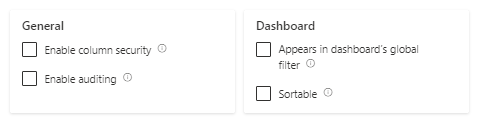
I don’t know why these options are not available when you are creating the field (if you do, let me know!) but effectively this means that if you create a lookup field in the maker portal and you want it to be audited or change any such groovy settings you need to create the field, save it then open it again as then the magical settings appear! Notice how they are all unticked…

So rememeber to do this, otherwise your auditing history will be short on lookup field action… Crazy stuff.

 Areti Iles
Leave a comment